For whoever runs it
 For whoever runs it
The playoff bracket
Choosing a bracket, making the cut, and playing it through to a final table.
- 1
Choose a bracket when you set up
On the new-tournament form, under Doubles Mode and seeding. Press Set up. A bracket is optional; opting out means the standard rounds of play decide the winners.
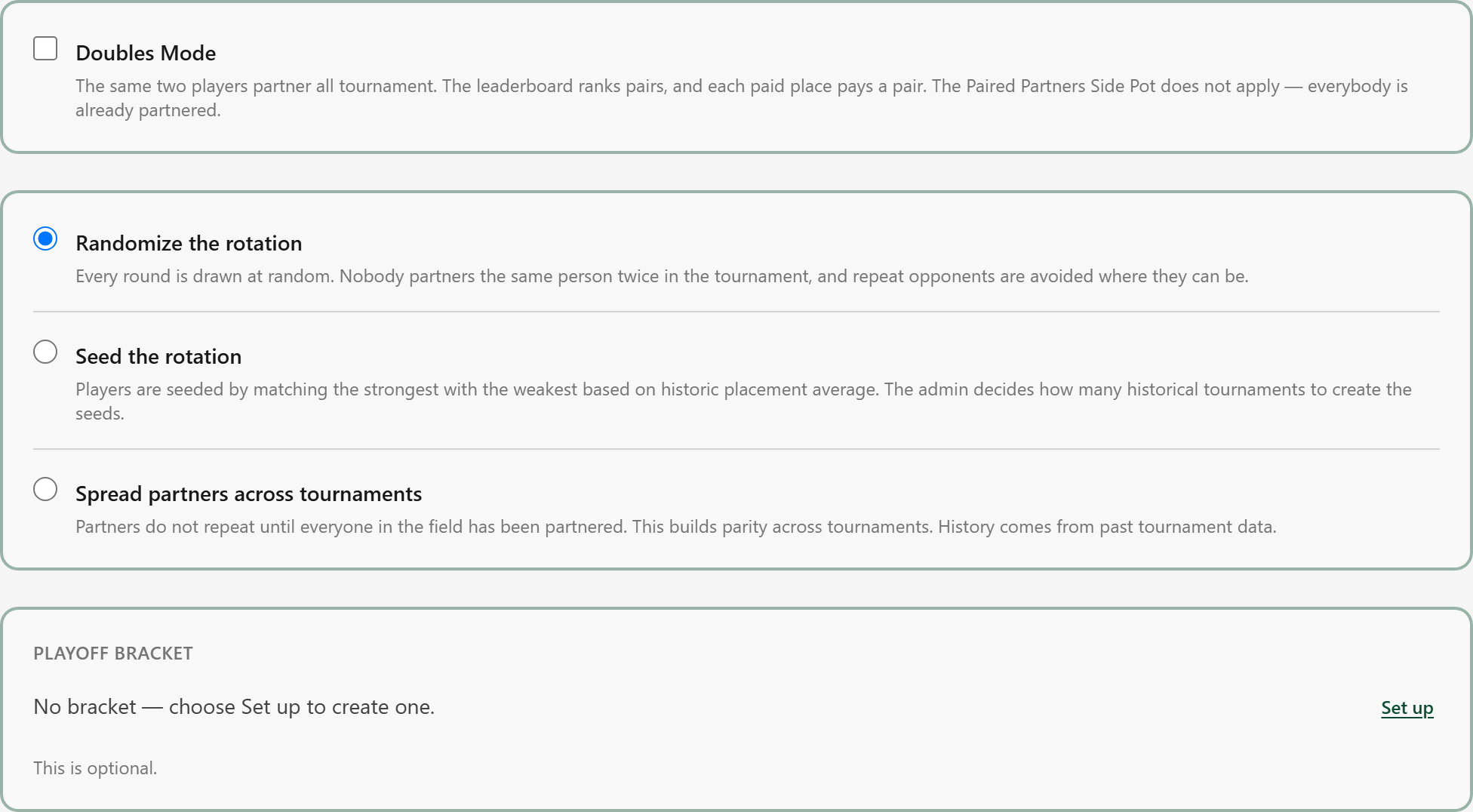
It sits below Doubles Mode on purpose: a bracket is built for singles or doubles, so the mode is chosen first.
- 2
The settings, singles
Four choices: how ties at the cut are broken, how the players are paired into teams, where the teams are placed, and how the matches are played. Save locks them.
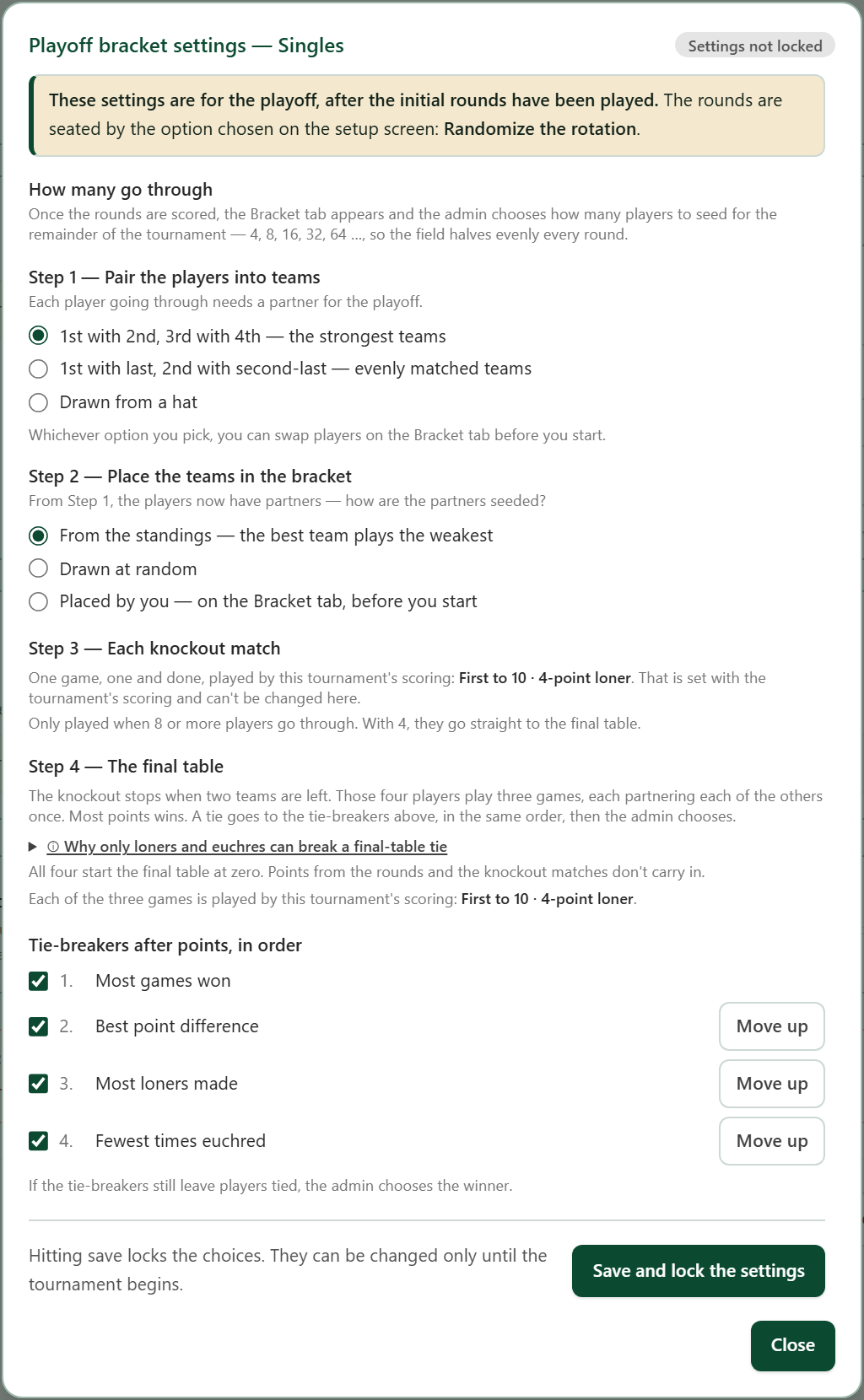
How many go through is not here. That is chosen on the Bracket tab in the tournament screen, once the initial rounds are completed.
- 2A
The settings, doubles
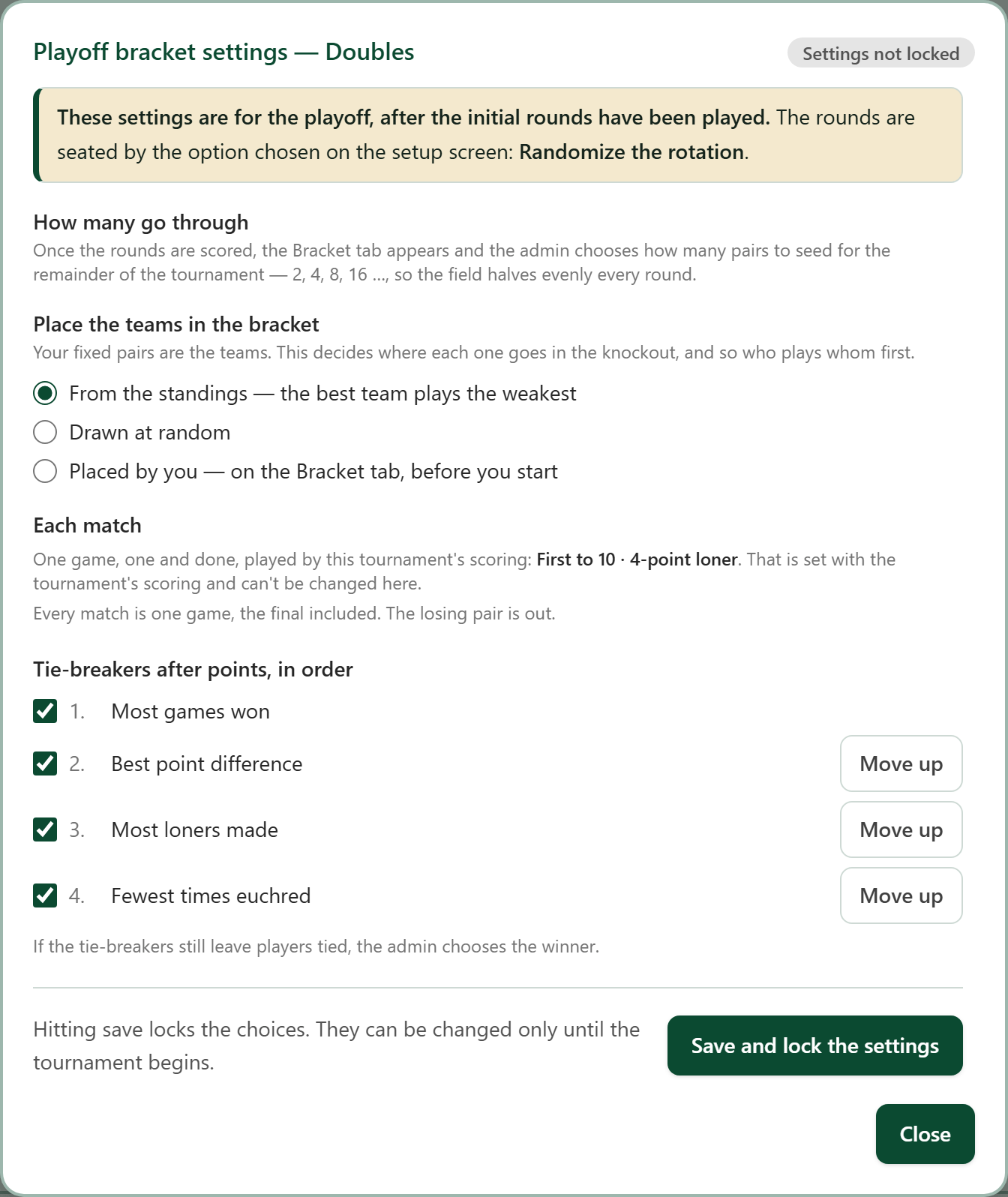
With Doubles Mode ticked, the pairs already are the teams, so there is no pairing step.
- 3
Make the cut
When every table is scored, the Bracket tab lists the standings with the cut line across them. Choose how many go through.
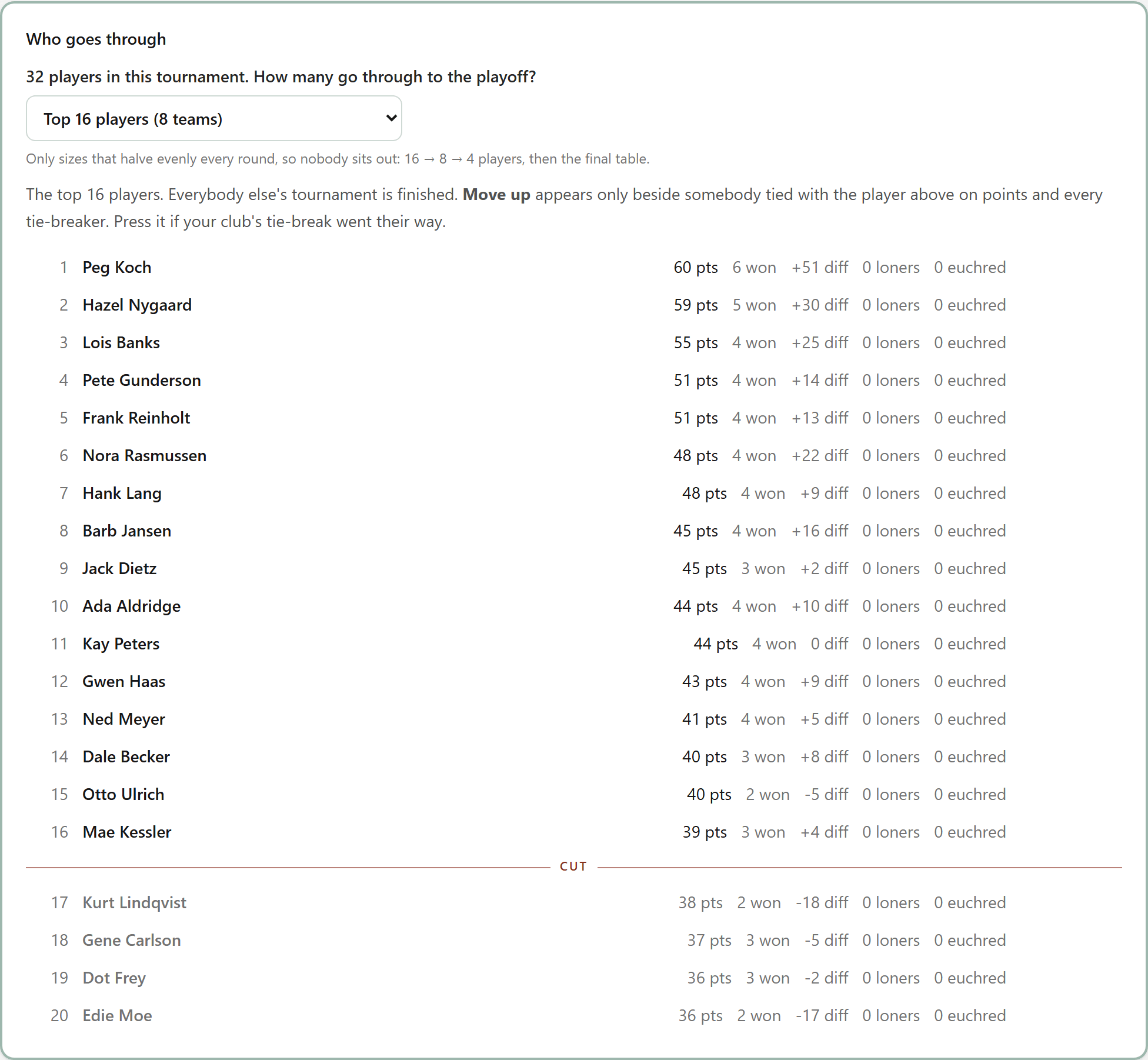
Move up appears only beside a player tied with the one above on points and every tie-breaker.
- 4
Check the teams, then start
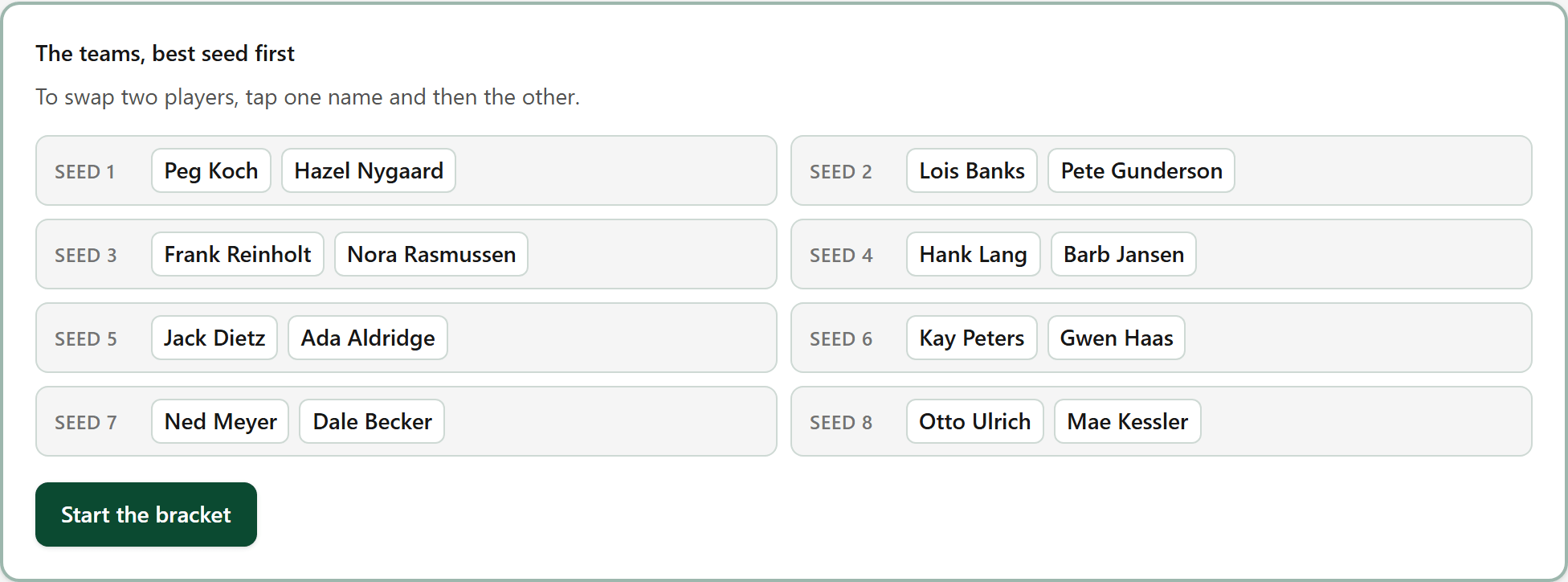
The teams, best seed first. To swap two players, tap one name and then the other. Press Start the bracket when it is right.
- 5
Play the knockout
Type each match's score as it finishes. The winner moves on to the next round by itself.
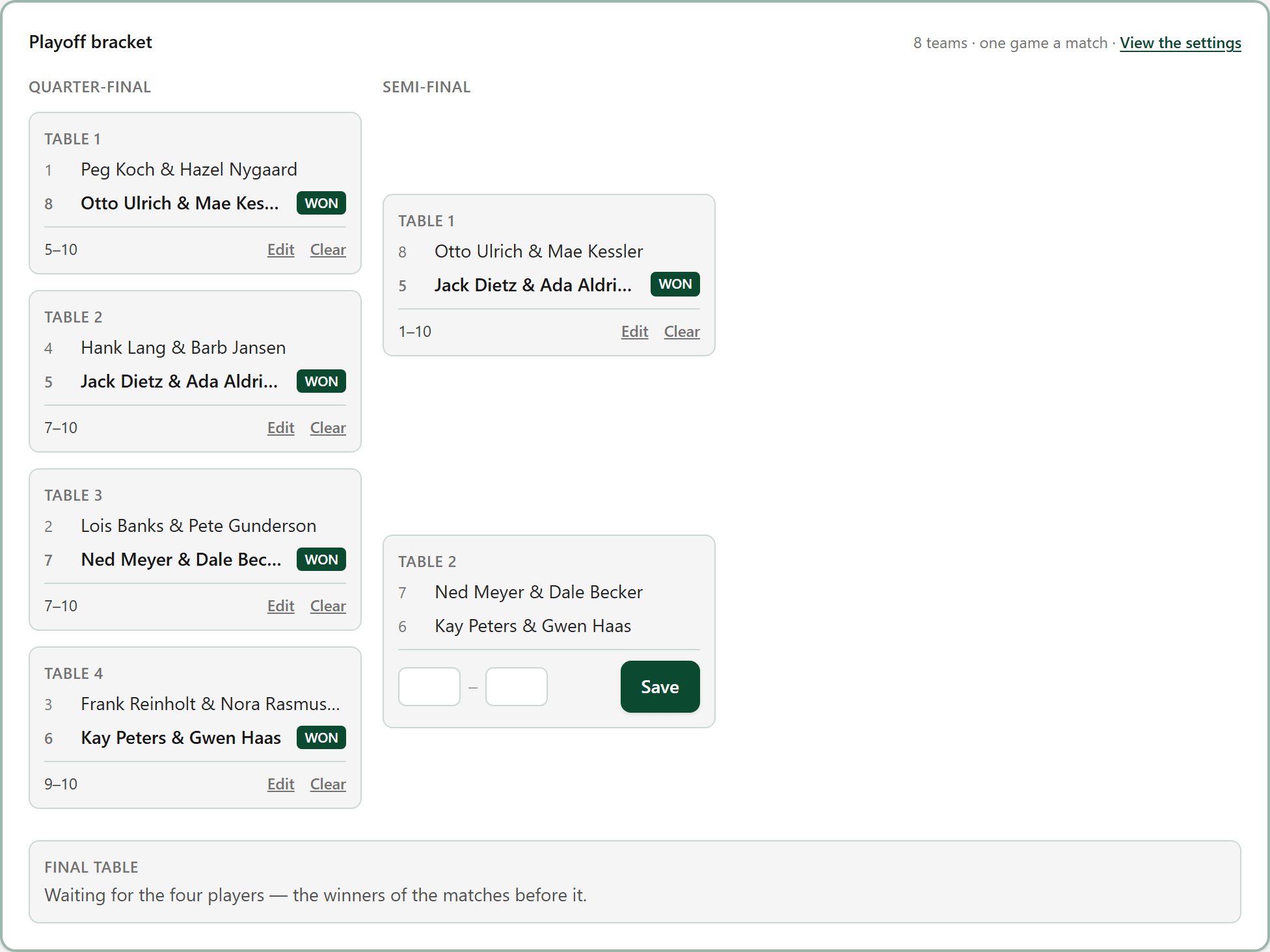
Each match carries a table number, so you can tell the teams where to sit.
- 6
The final table
The last four players play three games, each partnering each of the others once, all starting from zero. Most points wins.
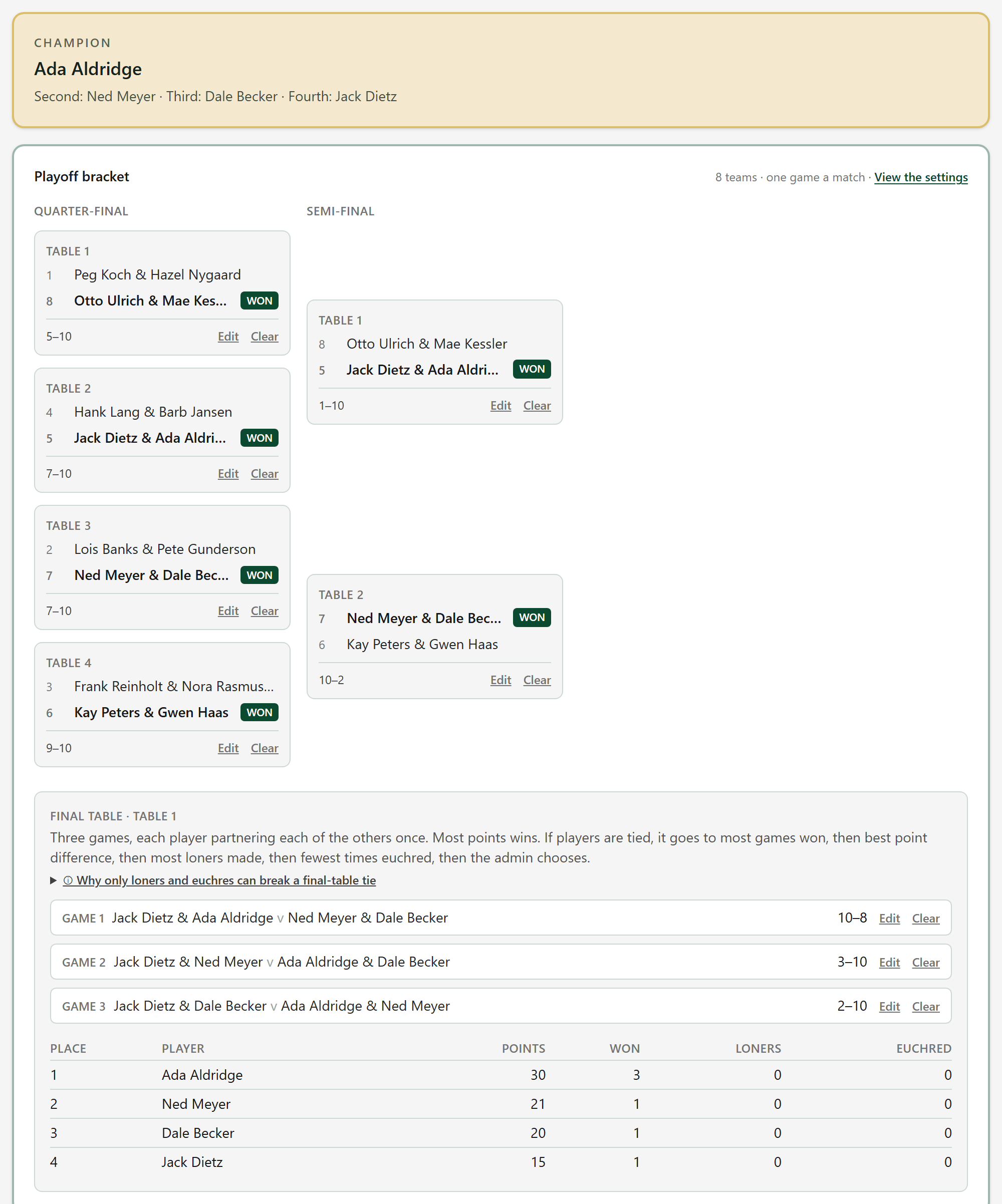
The places at the top of the tab are the tournament's placements.
- 7
What the players see
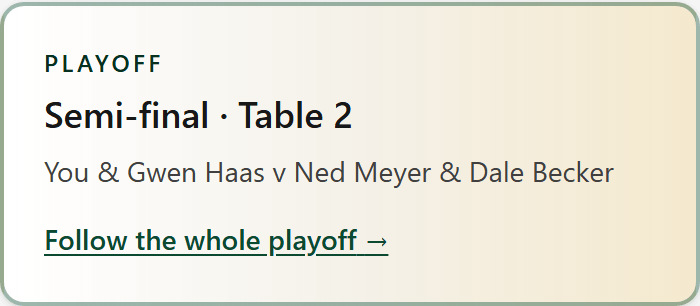
Once you start the bracket and sync, everybody still in it sees their next playoff match at the top of their scorecard: the table, their partner and who they are playing.