For whoever runs it
 For whoever runs it
Printing sheets and statistics
Every sheet Event Options can print: the room's setup sheets, a score card for one player, and the club's statistics.
- 1
Open Event Options
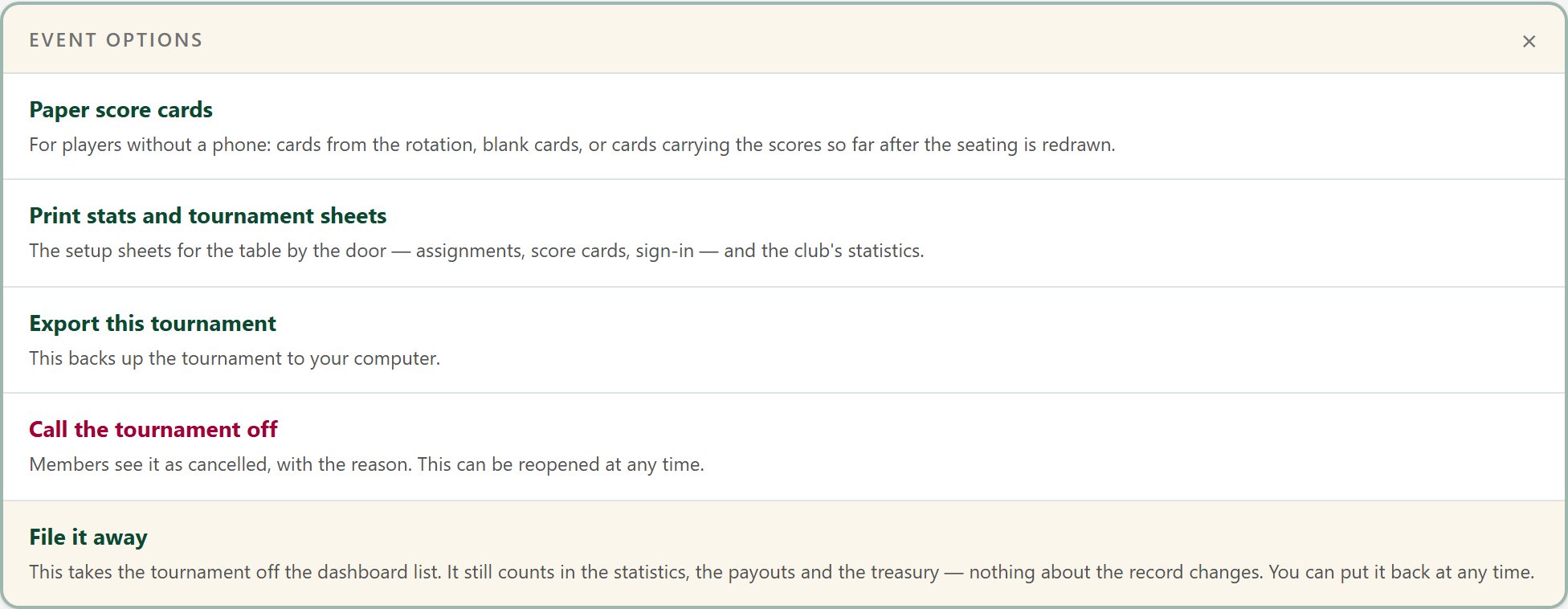
On the tournament's page, press Event Options at the top, then Print stats and tournament sheets.
- 2
Choose the sheets
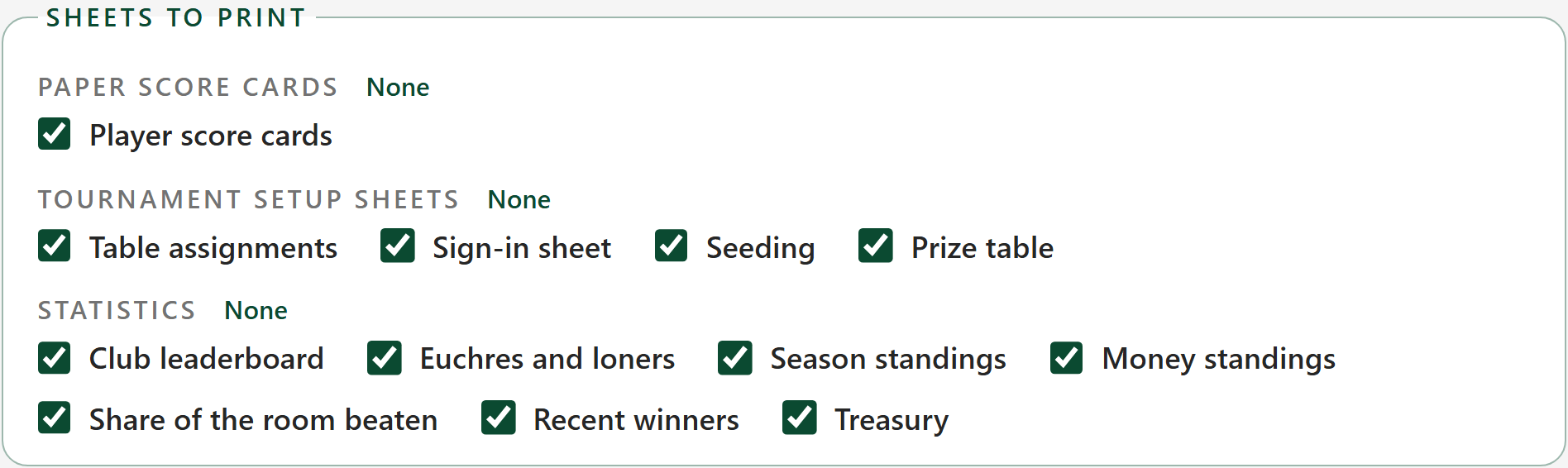
Tick the sheets you want, or use All and None beside each section, then press Print. Each sheet prints on a page of its own.
Everything ticked shows underneath, exactly as it will print, so you can read it first. Seeding has something on it only when the tournament seeded its rotation.
- 3
A score card for one player
For a player who would rather have paper than a phone. Under Cards for one player, type their name and pick it: only their card prints. Leave it empty for a card for everybody.
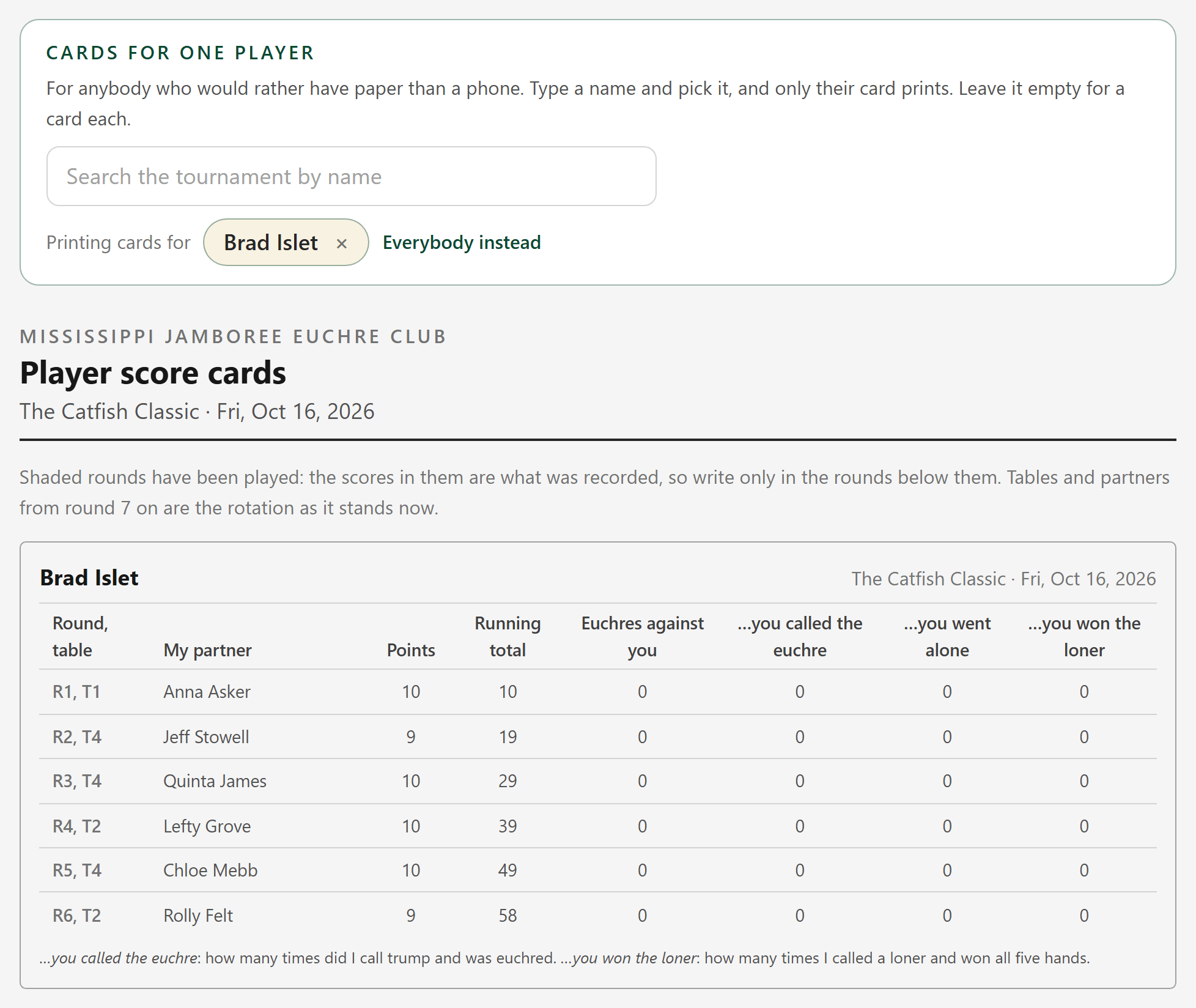
The card has up to five figures to fill in: the score, and the euchre and loner counts when the tournament tracks them. A tournament tracking just the scoring leaves those columns off. It can be typed in afterwards.
- 4
Table assignments
Every round, and who sits at which table with whom. The sheet to tape to the wall.
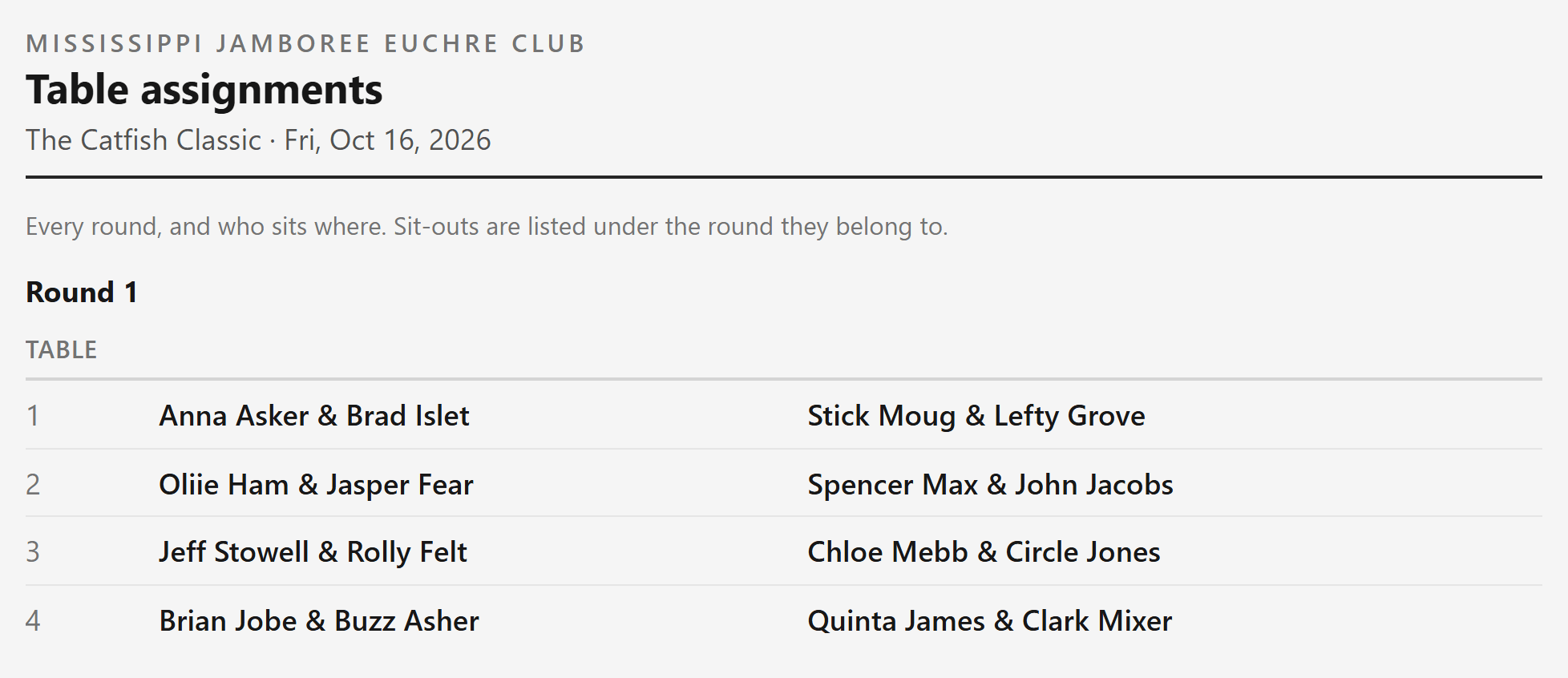
Round 1 is shown here; the sheet goes on through every round.
- 5
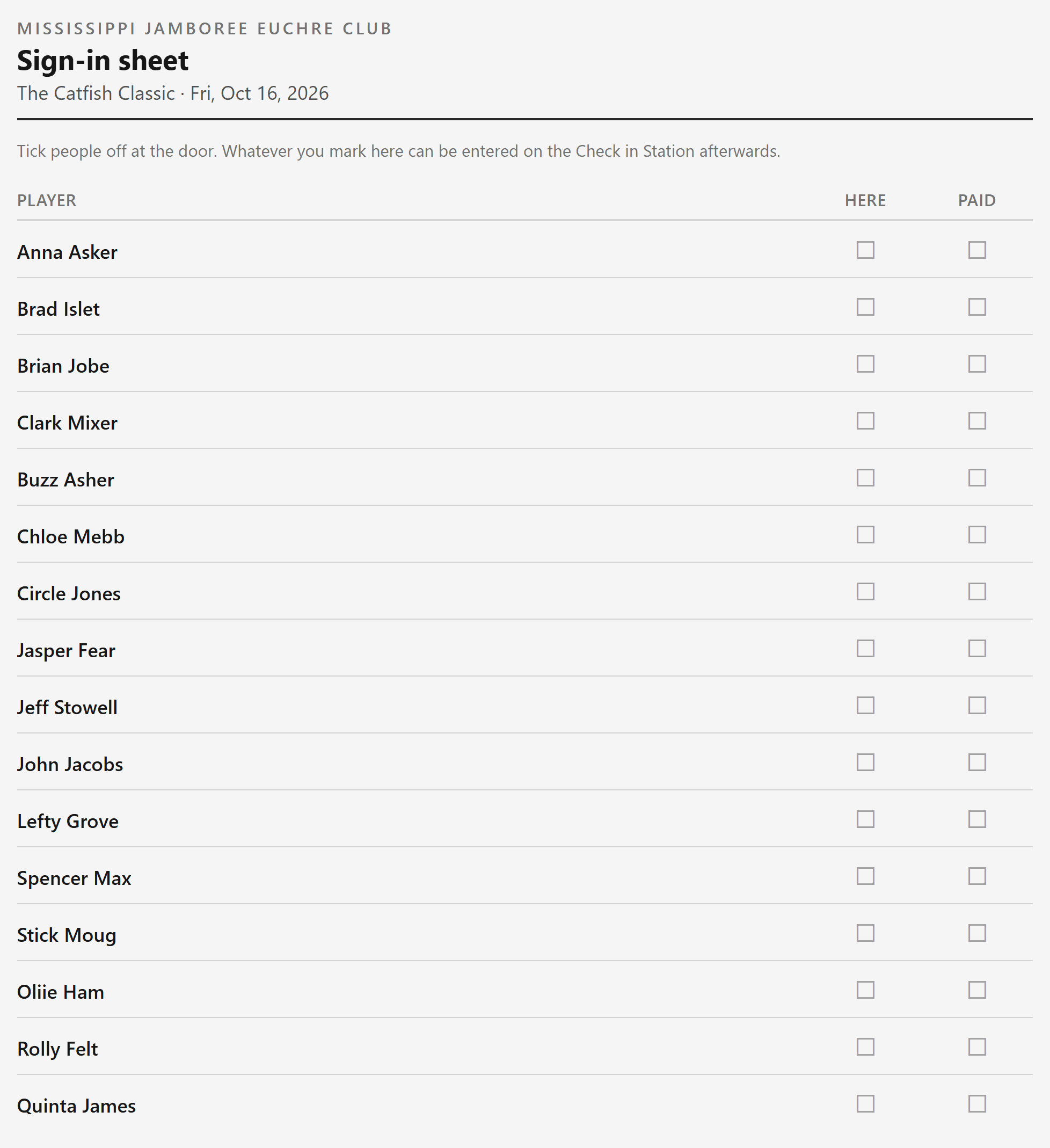
Sign-in sheet
A list to tick people off at the door. Whatever you mark on it can be entered on the Check in Station afterwards.
- 6
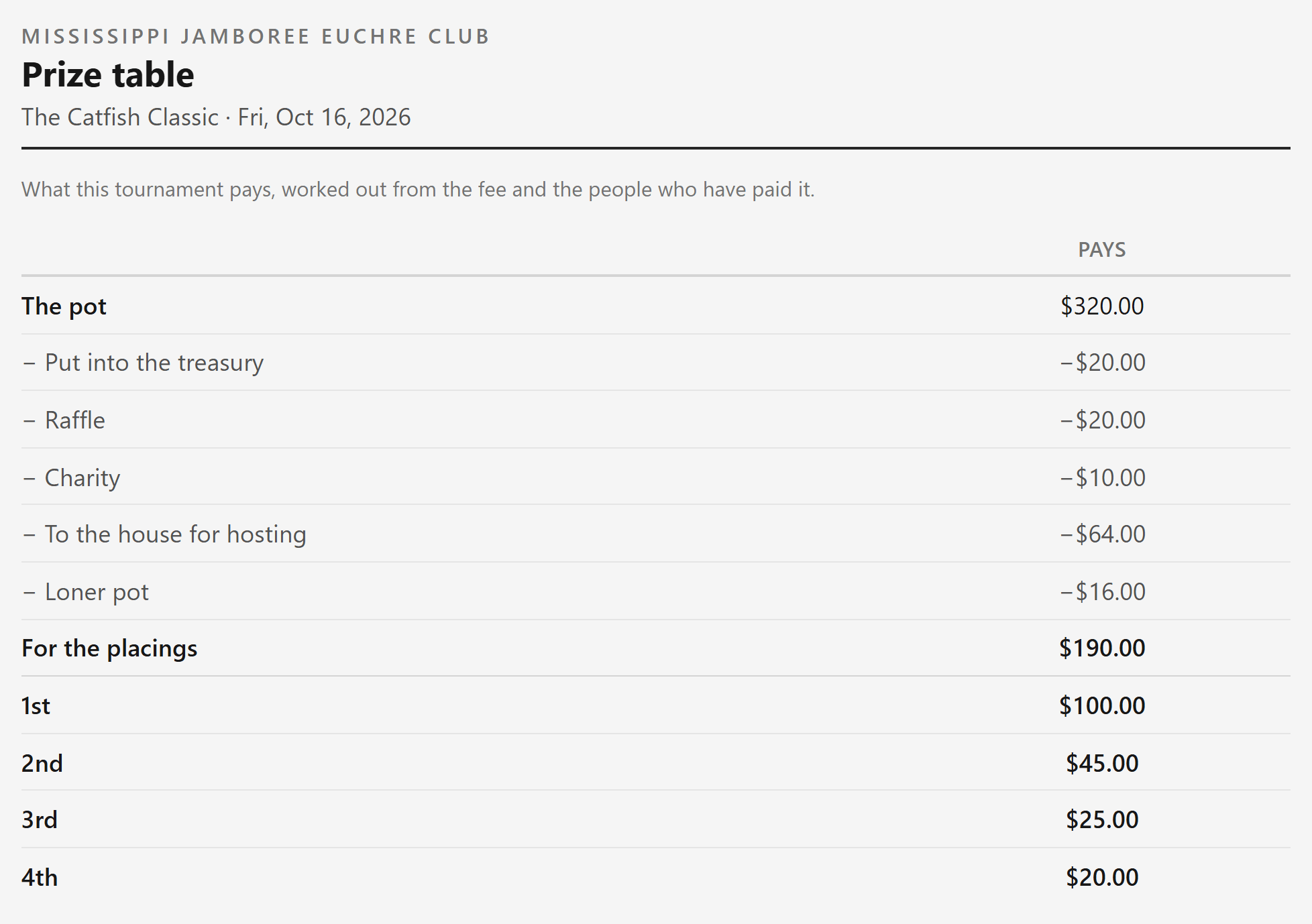
Prize table
What the tournament pays, worked out from the fee and the people who paid it.
- 7
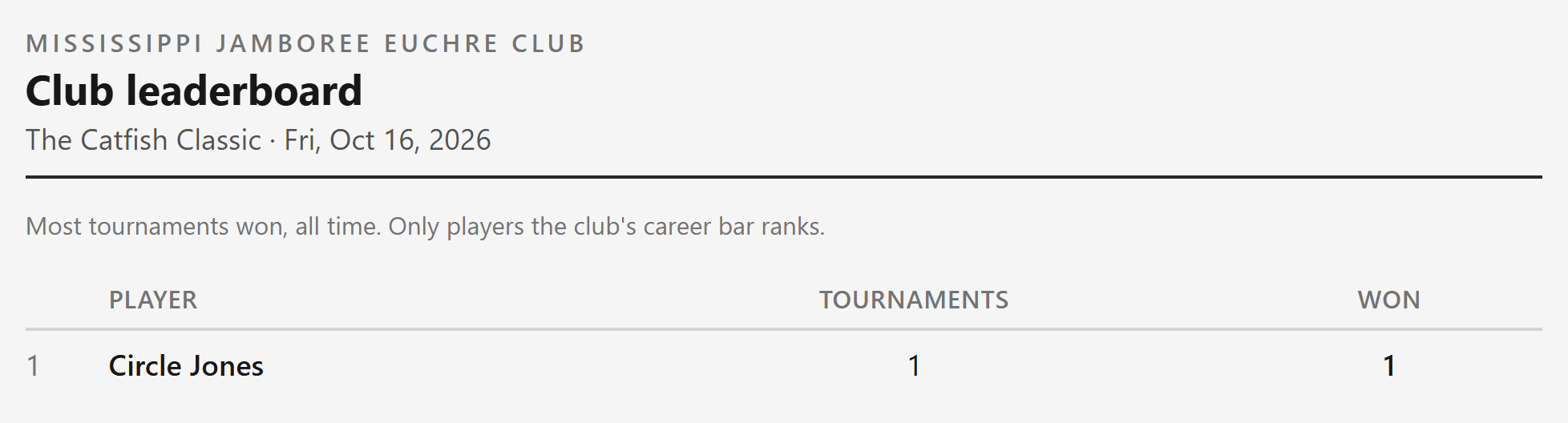
Club leaderboard
Most tournaments won, all time, for the players the club ranks.
- 8
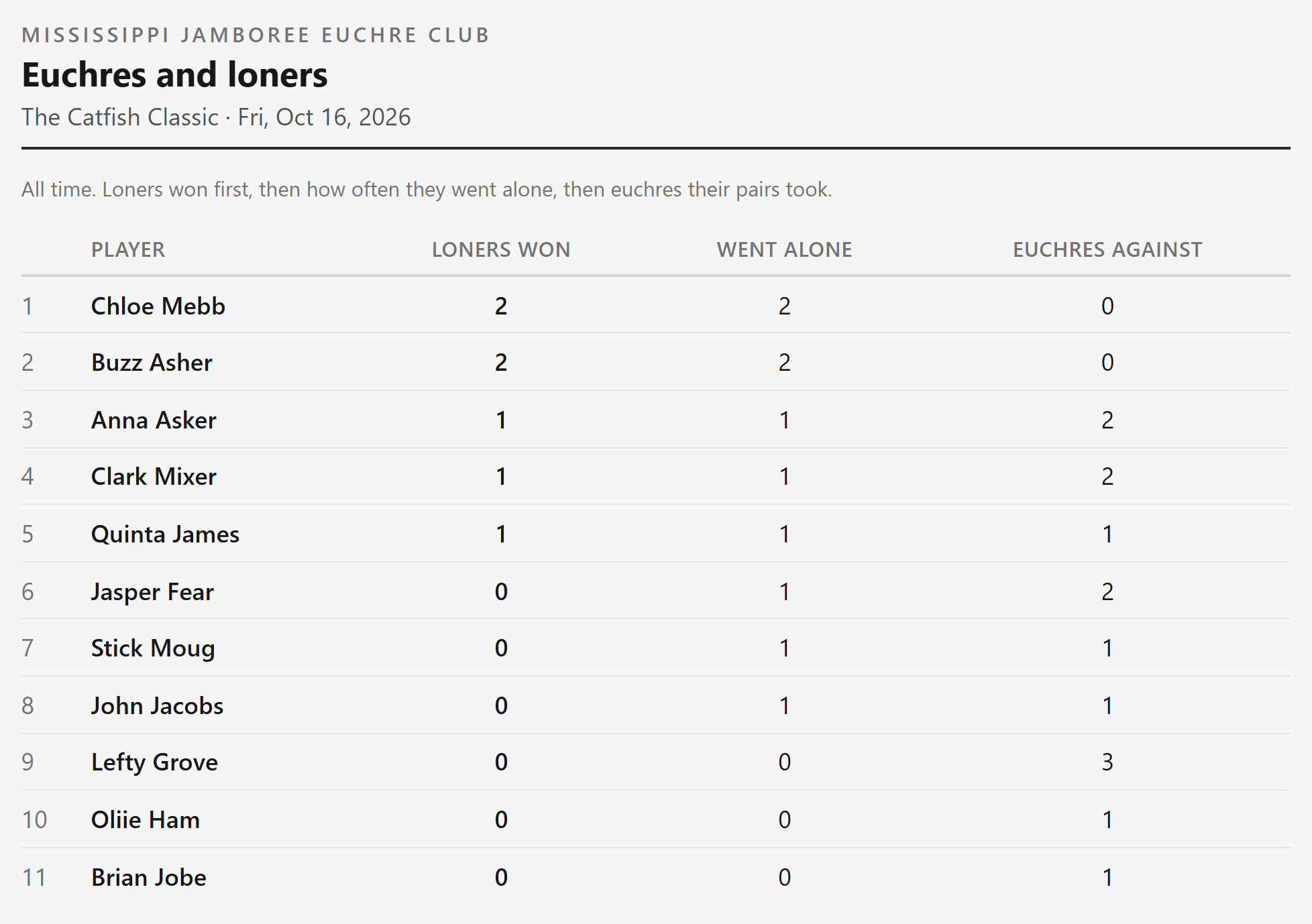
Euchres and loners
All time: loners won, how often each player went alone, and euchres their pairs took.
- 9
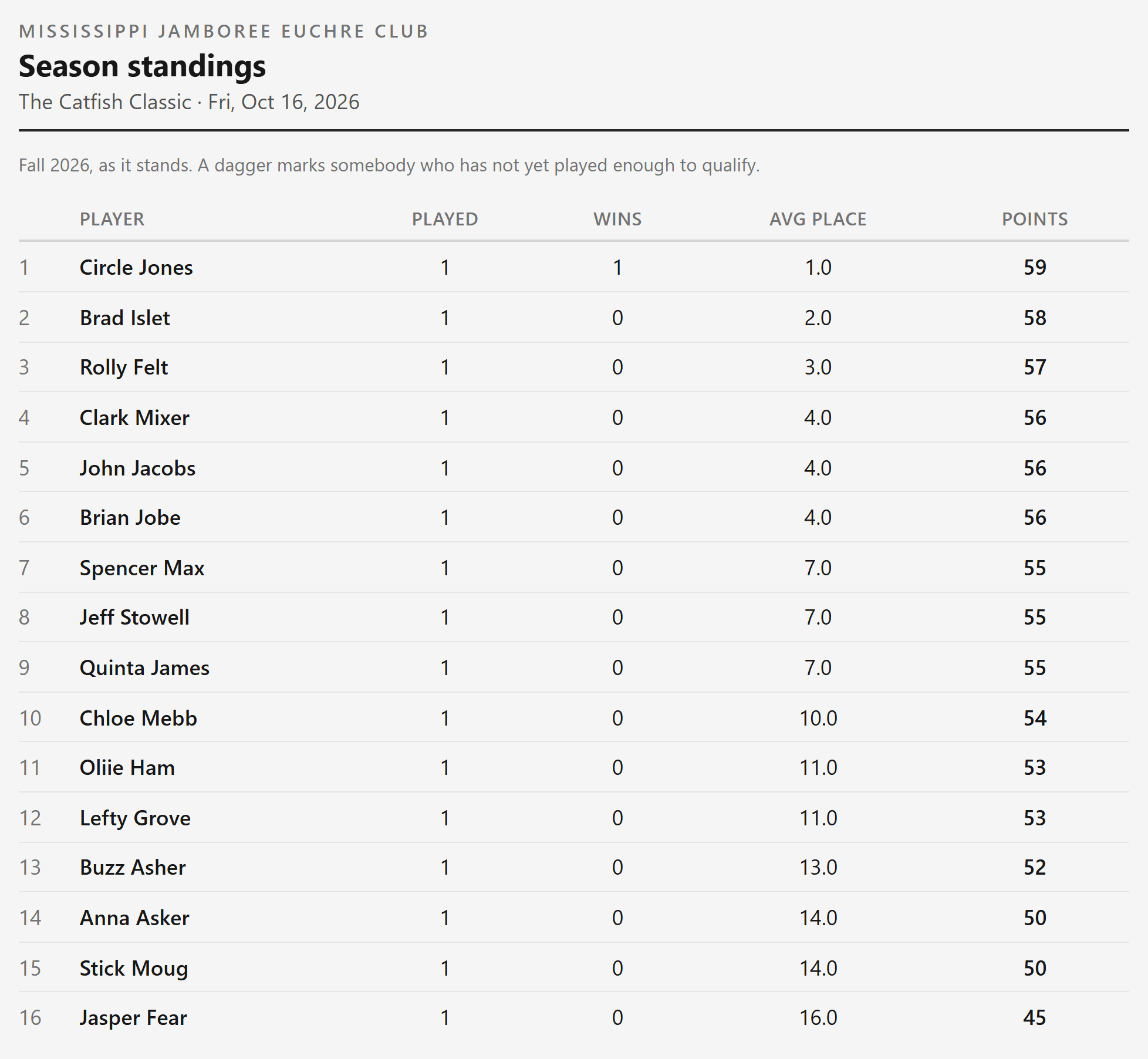
Season standings
The season this tournament belongs to, player by player.
- 10
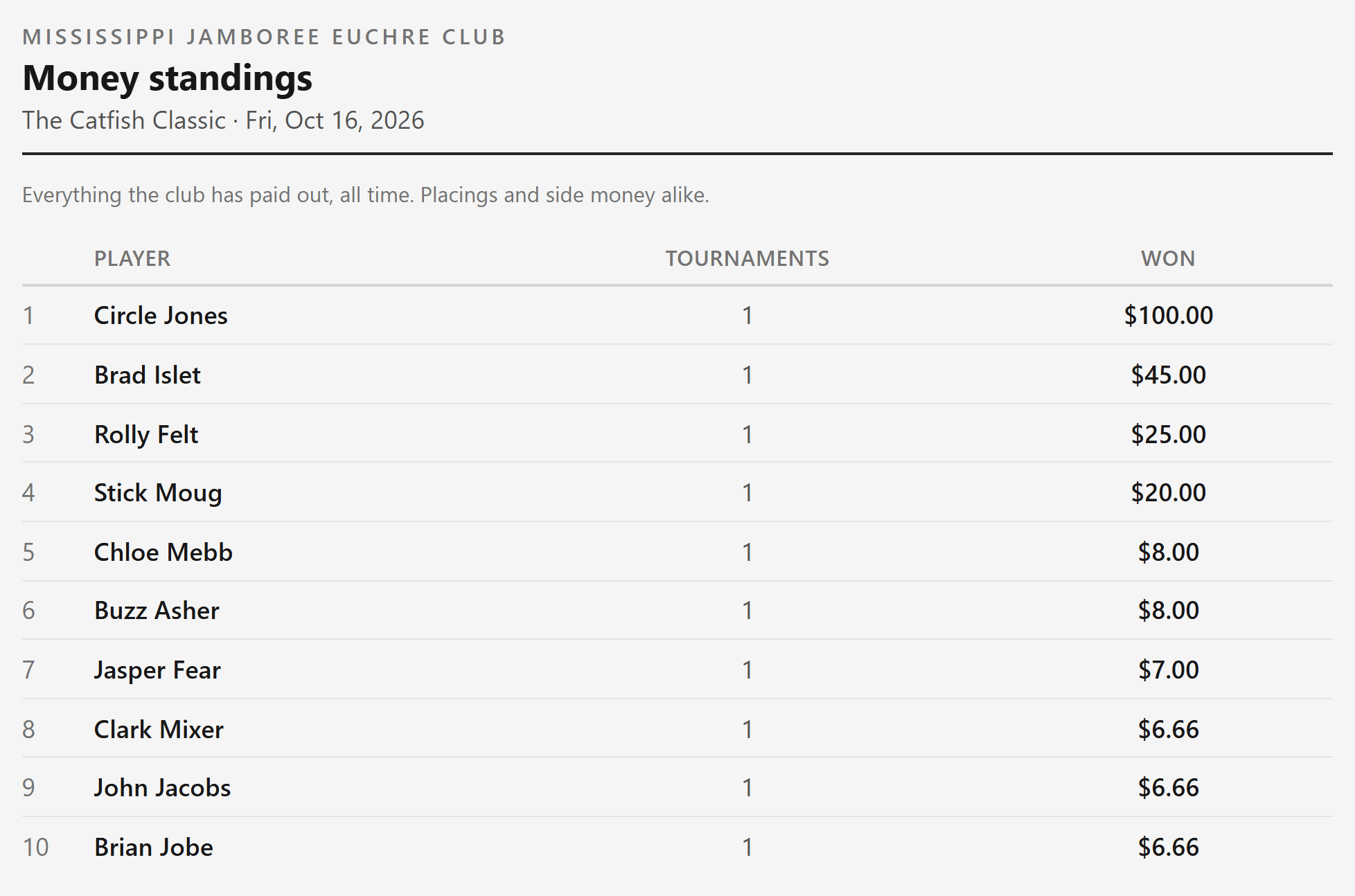
Money standings
Everything the club has paid out, all time, placings and side money alike.
- 11
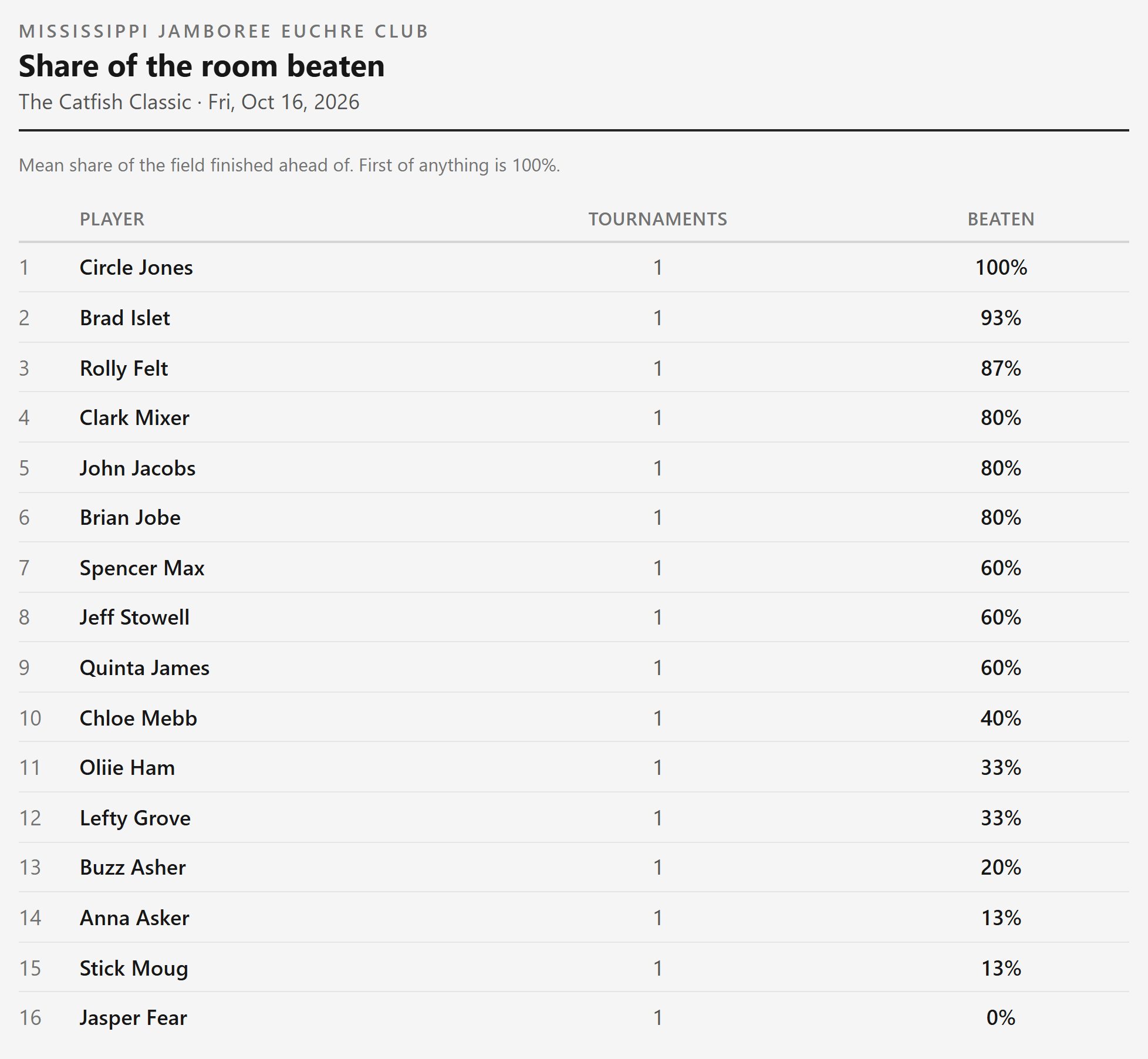
Share of the room beaten
The average share of the room each player finished ahead of. Winning a tournament counts as 100%.
- 12
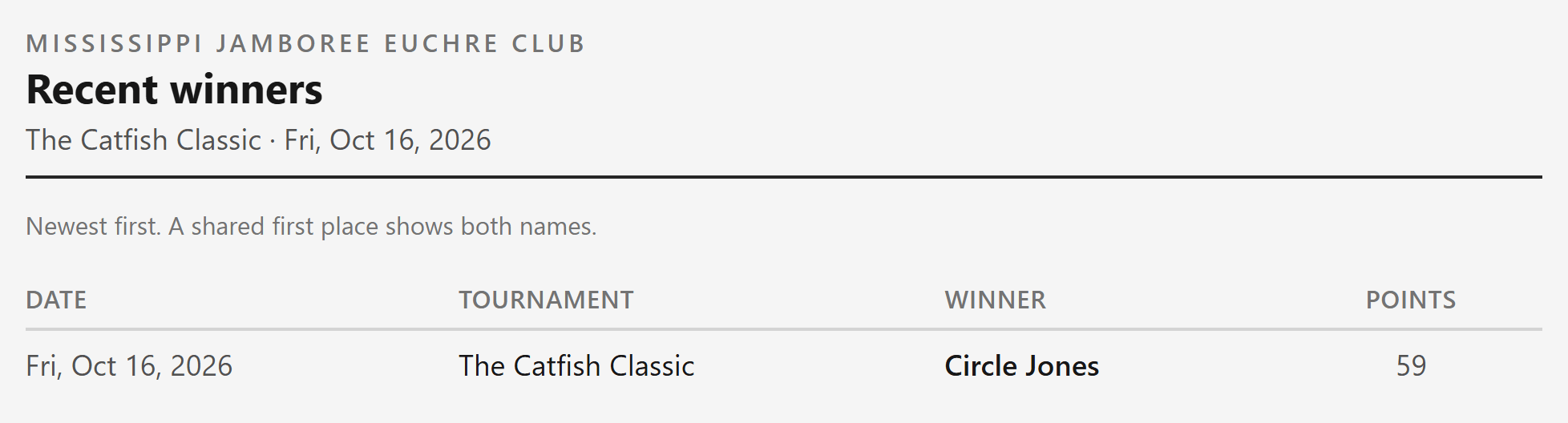
Recent winners
The latest tournament winners, newest first. A shared first place shows both names.
- 13
Treasury
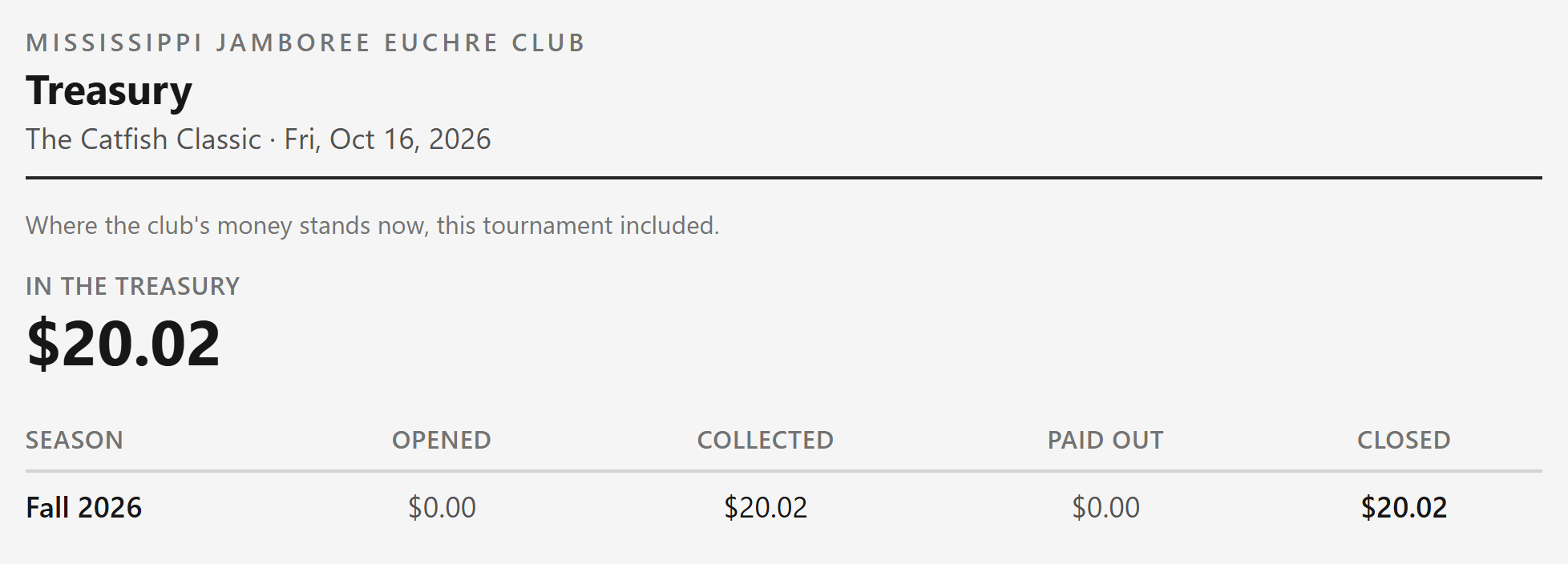
Where the club's money stands now, season by season. Maintaining a treasury is optional.