For whoever runs it
 For whoever runs it
Your club
Starting a club, getting people into it, your players, and deleting it.
- 1
Start a club
Make an account, then Start a club: give it a name, and add the details that tell you apart from somebody with your name.
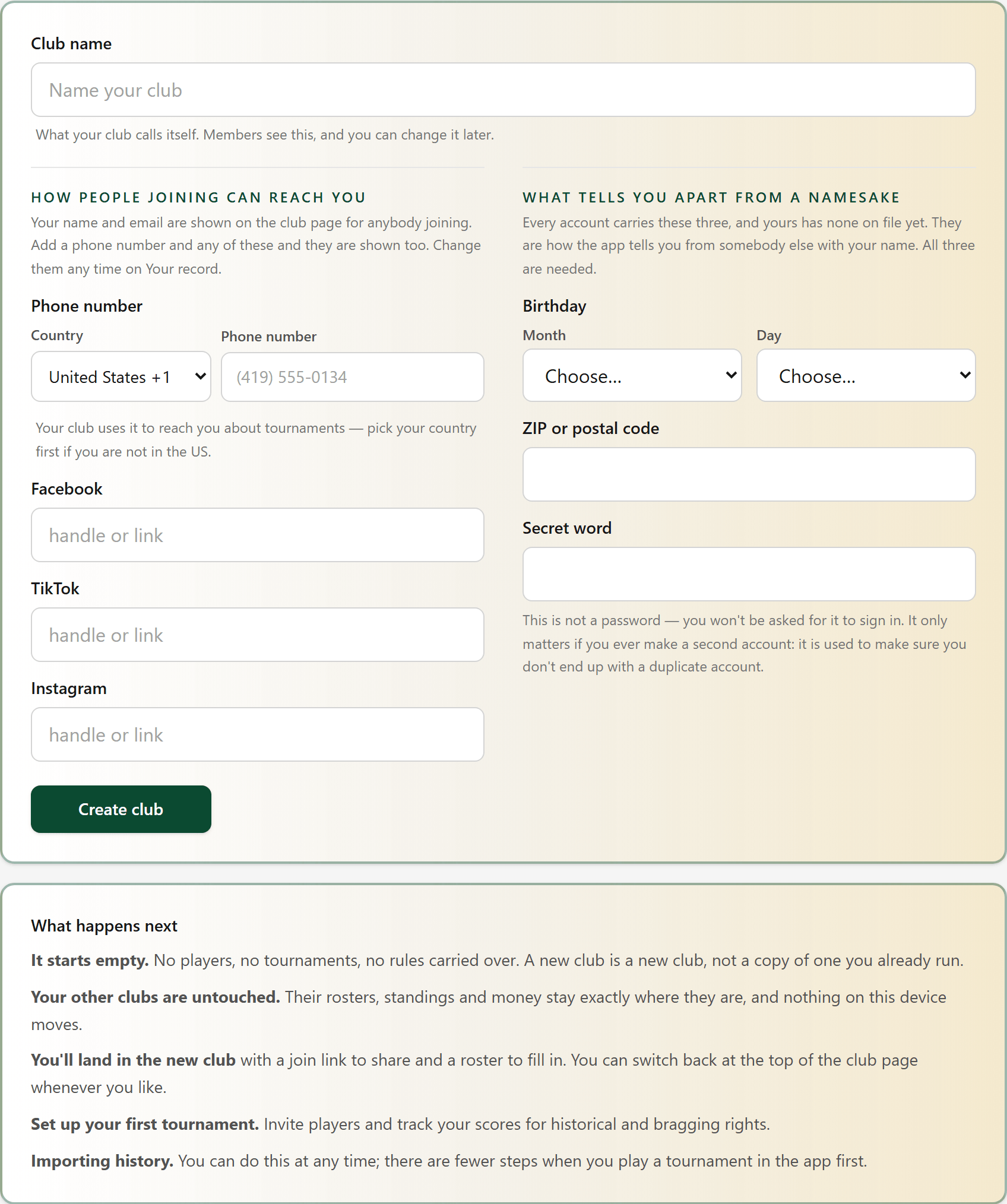
It starts empty: no players, no tournaments. A club you already run is left exactly as it is.
- 2
Get people into your club
Your club page has the link to send. Anybody who opens it and makes an account joins your club. The checklist link walks a new player through their account, notifications and the scorecard.
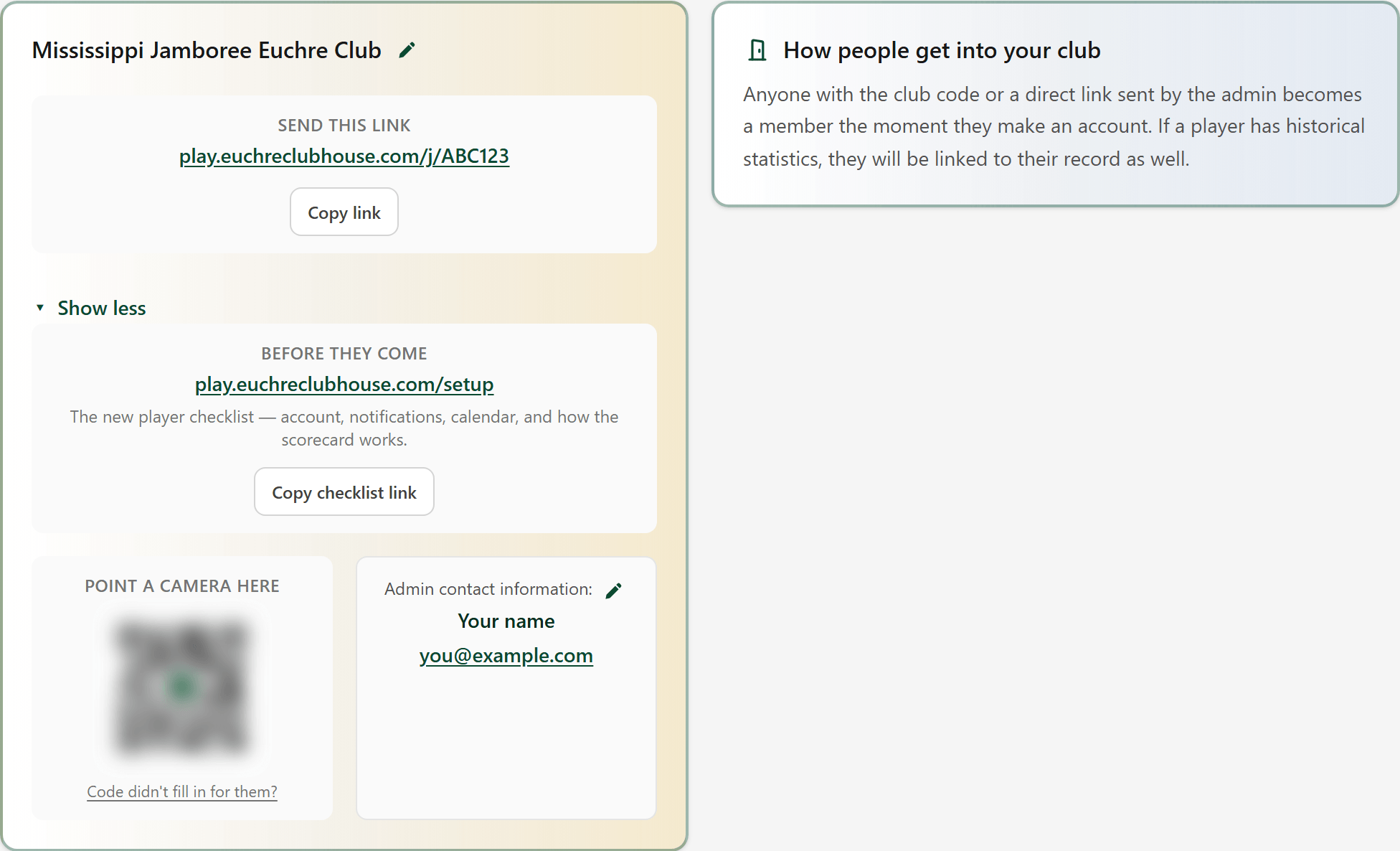
Point a camera here: players can scan the square straight off your phone. Your contact details are shown to everybody joining.
- 3
Your players
Players is your roster. Add a player with their first and last name; open anybody to change their details.
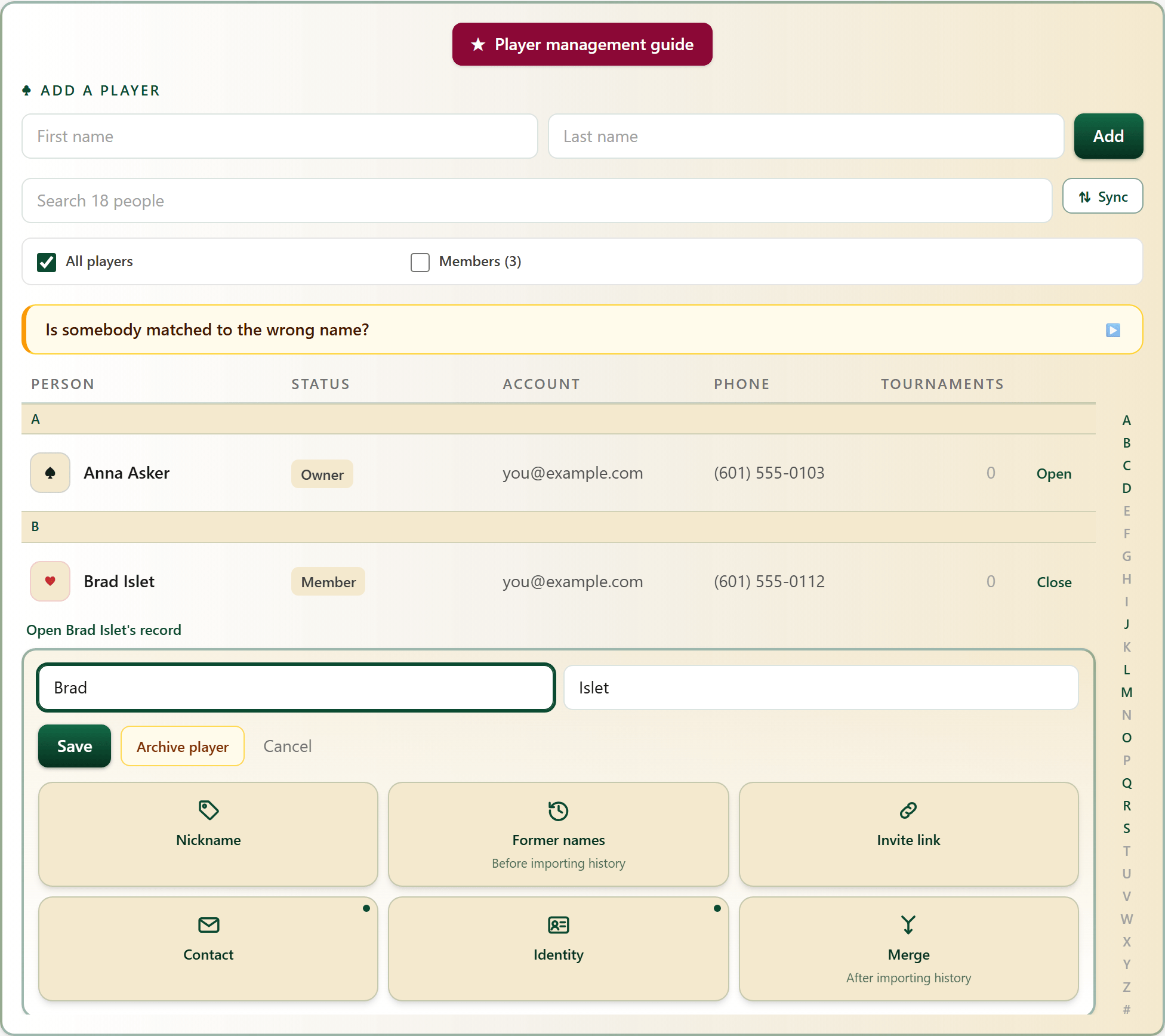
Inside a player: a nickname, former names for old results, a personal invite link, contact details, and Merge for one person with two records.
- 3A
Archive a player
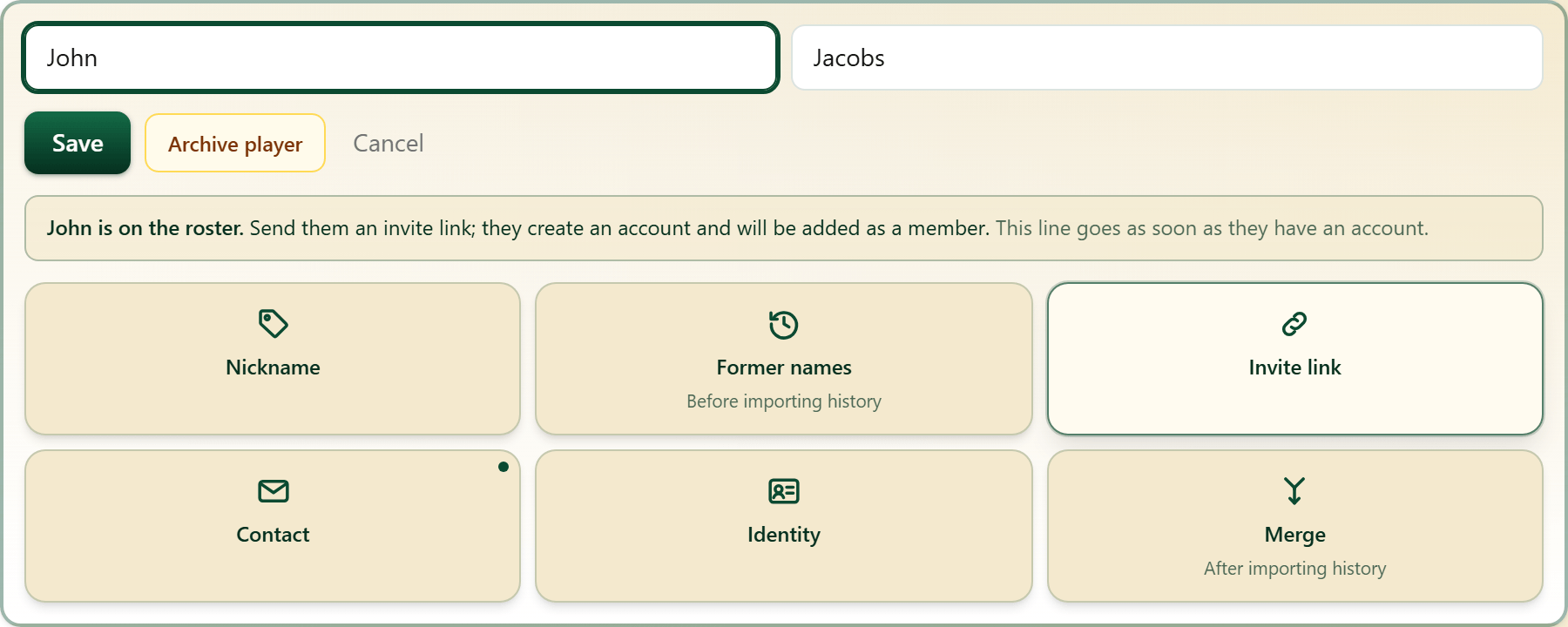
Open a player and press Archive player when they no longer play: they stop being offered when you pick players, and their results stay. Restore player, in the same place, brings them back.
- 4
One person, two records
When the same person ended up on your roster twice, open the name to keep and press Merge. Pick the other record under Merge into, then These are the same person.
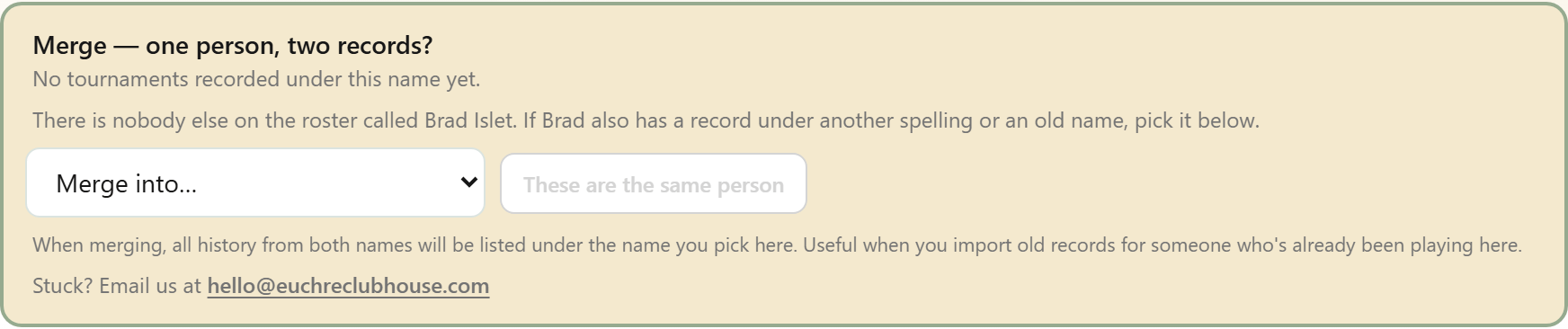
All the history from both names is listed under the name you kept.
- 5
The app spots a name twice
When two players on your roster have the same name, the dashboard says so. Pick the name to keep, with what each has played beside it, and press Merge into one person.
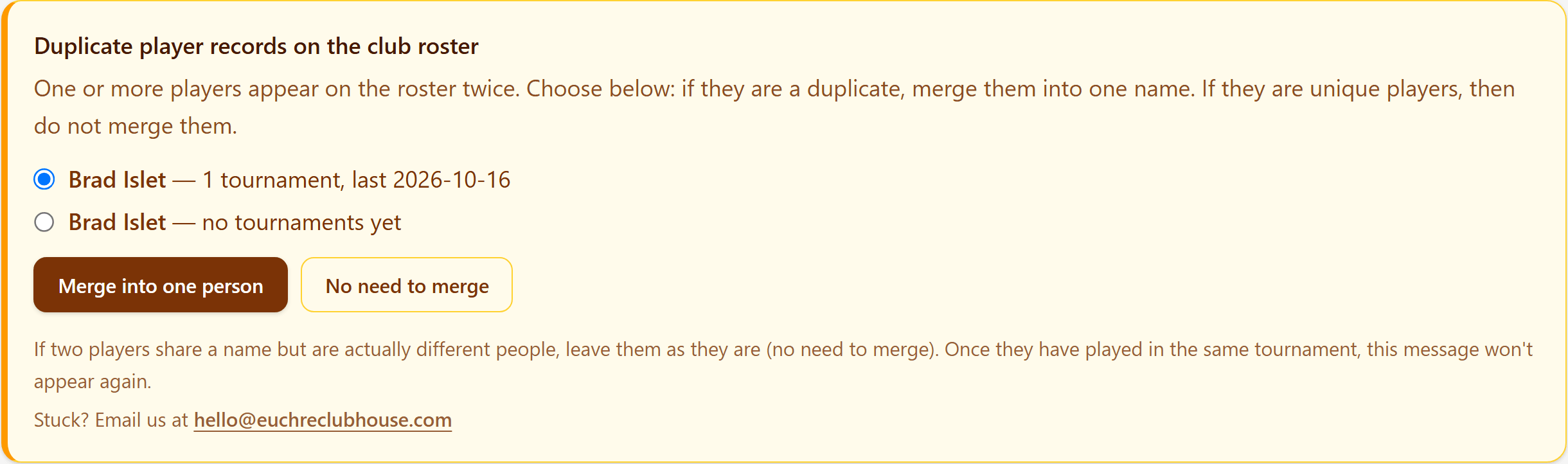
Two different people who share a name? Press No need to merge, or give each of them a nickname.
- 6
Names spelled almost the same
Two names a letter or two apart get a quieter card. It might be a typing slip, or it might be two people, so it sends you to Players rather than merging here.

No need to merge leaves the names the way they are.
- 7
How to tell two people with the same name apart (rare occurrence)
Open one of the names in the Players screen and press Nickname. After you save the nickname, it shows in brackets next to the first and last name.
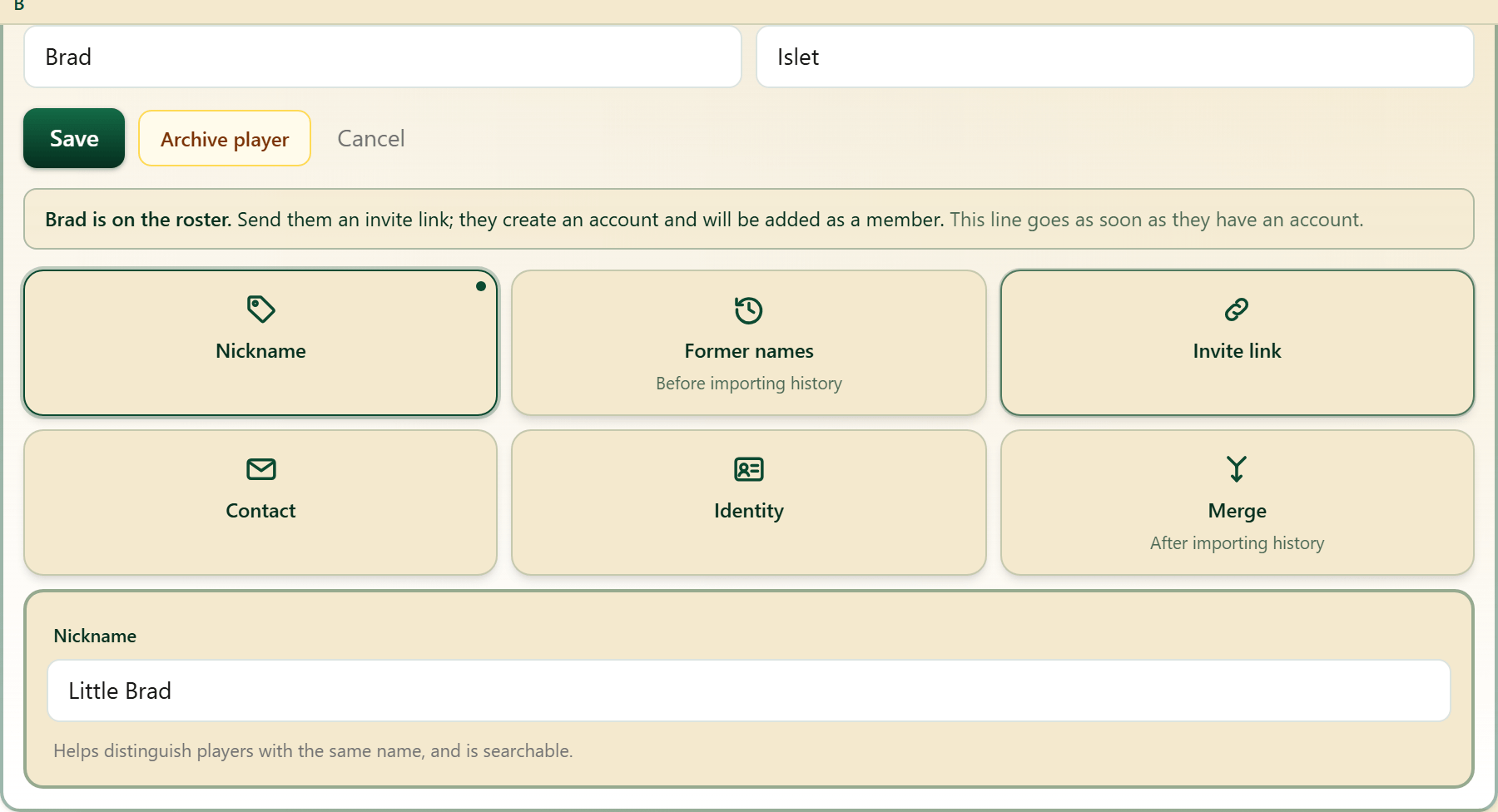
Once they have nicknames, the dashboard stops asking about that name.
- 8
When somebody joins
Somebody who joins with your link shows up on Players immediately, and is matched to their name on your roster when that name has no tournament history.

Got it clears the note. A name that already has tournament history waits for you to match their records to their name, to prevent mismatches.
- 9
Admins, the co-owner, and handing the club over
Open a member on Players. Make admin gives them the admin screens. Once they are an admin, Make co-owner lets them do everything you can except delete the club, hand it over or name a co-owner. Hand over the club makes them the owner, and asks you once more before it does.
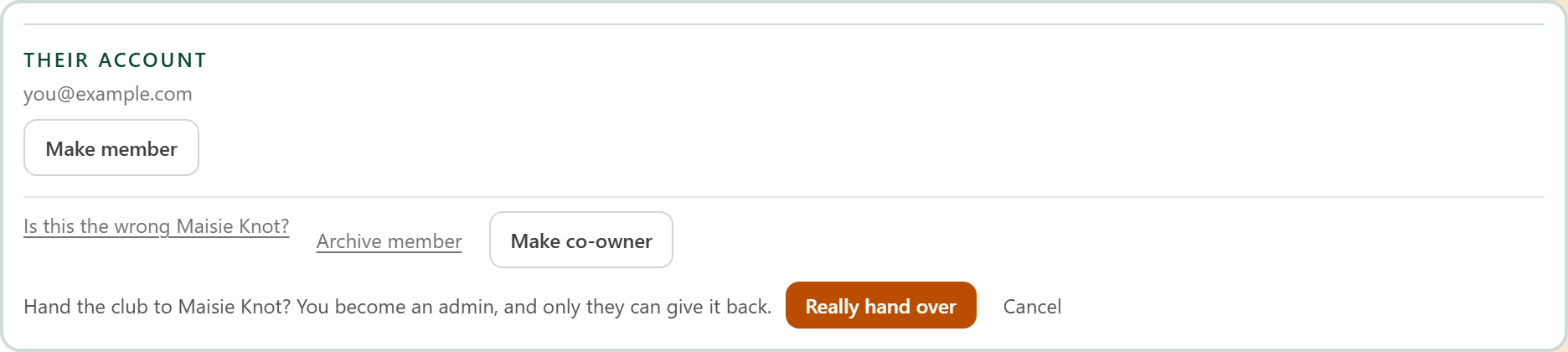
Afterwards you are an admin, and only the new owner can make you the owner again.
- 10
Who they are
Open a member on Players and press Identity: the birthday and ZIP code they gave for their account, and whether they have a secret word. Contact holds their phone and email.
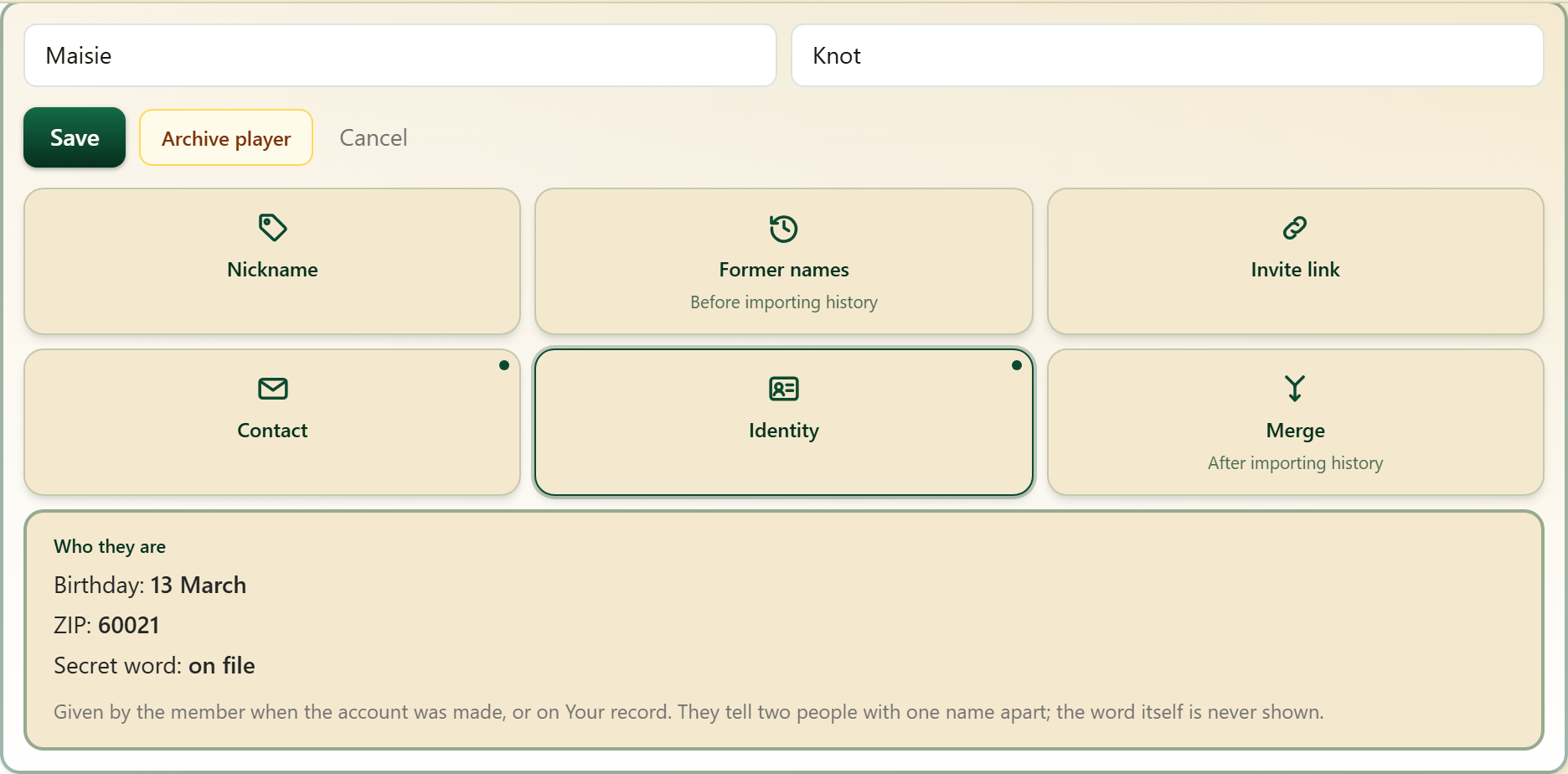
The secret word itself is never shown, to you or anybody. It is how the app tells two people with one name apart.
- 11
Delete a club
Delete this club is at the top of the club page. It says what goes with the club, and asks you to type the club's name before it will delete anything.
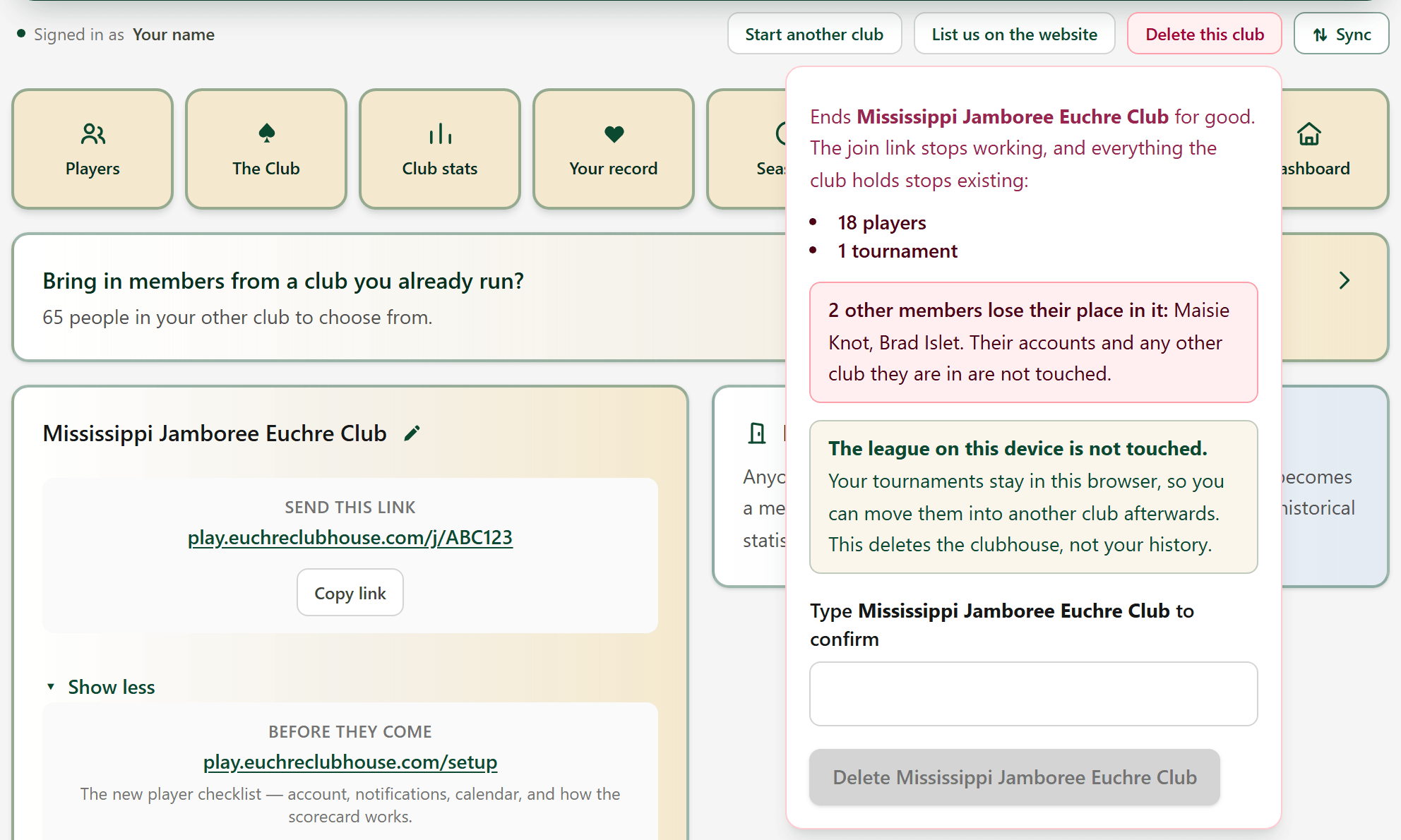
After deletion, members lose their place in this club; however, they can still sign into their accounts for any other club that they belong to.